NCSF


About Us 
Some Examples
Fundraising
Sponsors
Contact
Trustees    
Thank Yous
Newsletters
Apply for A Grant

.."Helping Families Cope With Cancer"


External Links
ROB'S ARTTT
Chloe Bigmore


Nic's Story
Nic's Treatment
Complementary  
Nic's Poems
NHS Report
Thank You

Accessibility

To change the size of the text on screen:

  • Internet Explorer - Go to View > Text size and select your desired text size setting (eg. larger, smaller);
  • Netscape - Go to View>Text size. Select a larger or smaller 'percentage' or click on 'larger'’ (or ‘smaller’) to go one size up or down.

Changing your computer screen settings:

  • To change the size of the image shown on your screen on a PC running the Windows 95 and upwards operating system, go to Start > Settings > Control Panel > Display > Settings and change the desktop area by using the sliding bar.
  • On an Apple Macintosh, you can use the Monitor & Sound Control Panel to change the resolution.

Having difficulty with your keyboard or mouse?

  • You can fine-tune your mouse and keyboard settings under Start>Settings>Control Panel>Accessibility in Windows 95/98/NT/2000 and XP


web_banner_180x150


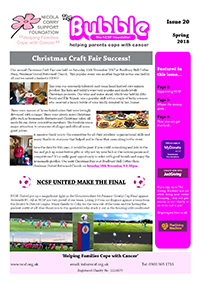
Newsletter Issue 20

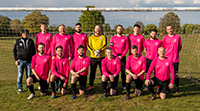
NCSF United
Bristol Downs League
<<more>>


eXTReMe Tracker
 
     
Registered Charity No.
1114679

© 2021 NCSF